As organizations increasingly entrust their vital data to the digital domain, Data Loss Prevention (DLP) has emerged as a crucial measure to safeguard sensitive information. Microsoft 365 offers robust DLP features, facilitating easy identification and protection of your business’s sensitive data. Let’s delve deeper into exploring how you can leverage DLP in Microsoft 365.
Table of Contents
Understanding Microsoft 365's Data Loss Prevention
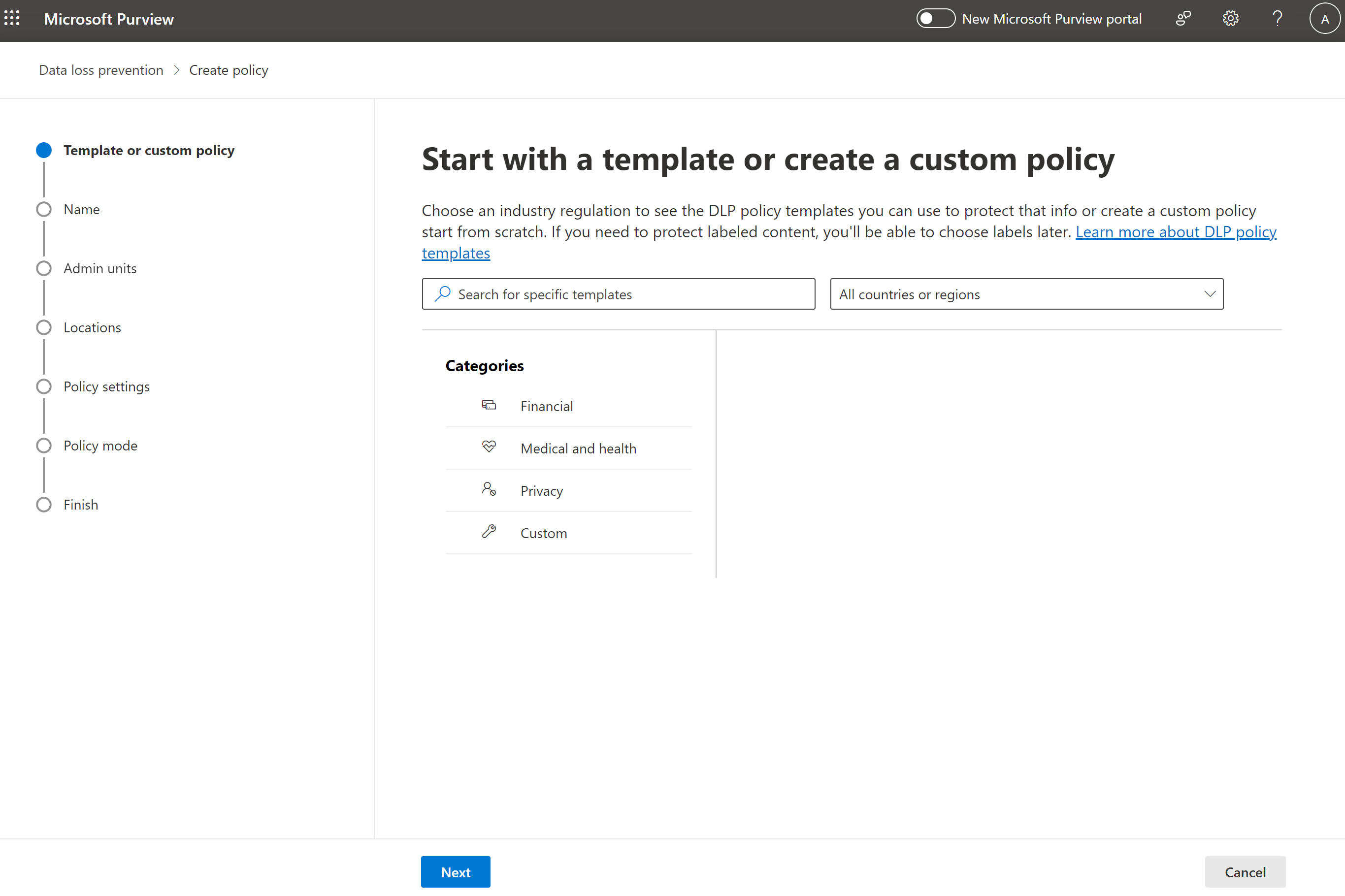
Microsoft 365’s Data Loss Prevention (DLP) acts as the organization’s watchdog, identifying and protecting sensitive data across numerous storage locations. Deploying policy configurations based on keywords, sensitive information types, or document fingerprints allows effectively limiting content distribution or enforcing additional security measures, such as encryption.
DLP Policies in Microsoft 365
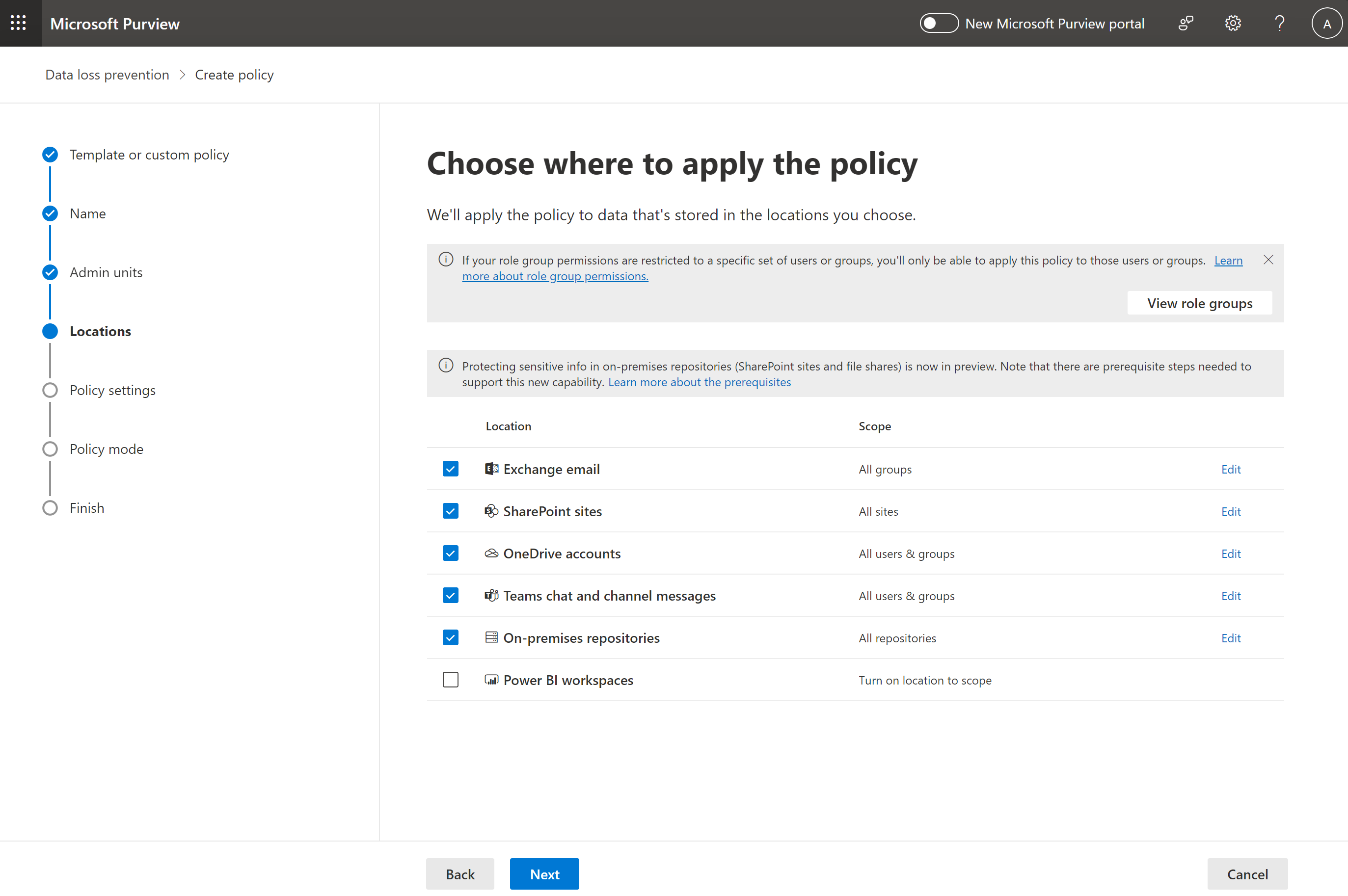
These policies, integral components of DLP, span across various locations like Exchange Online, SharePoint Online, and OneDrive for Business. Each DLP policy comprises one or more rules which encompass precise conditions that the content should meet and prespecified actions to be enacted when such content is identified.
As per the DLP policy, when a given document within OneDrive or SharePoint content matches the set conditions, access is blocked. Exceptions are made, however, for site collection owner and the last user to modify the document. Once the document is brought back in compliance with the policy, the original permissions are restored. For email content, the action blocks the email from being sent, with various possible notifications for the sender depending on the DLP transport rule configuration.
Handling Non-Compliant Data
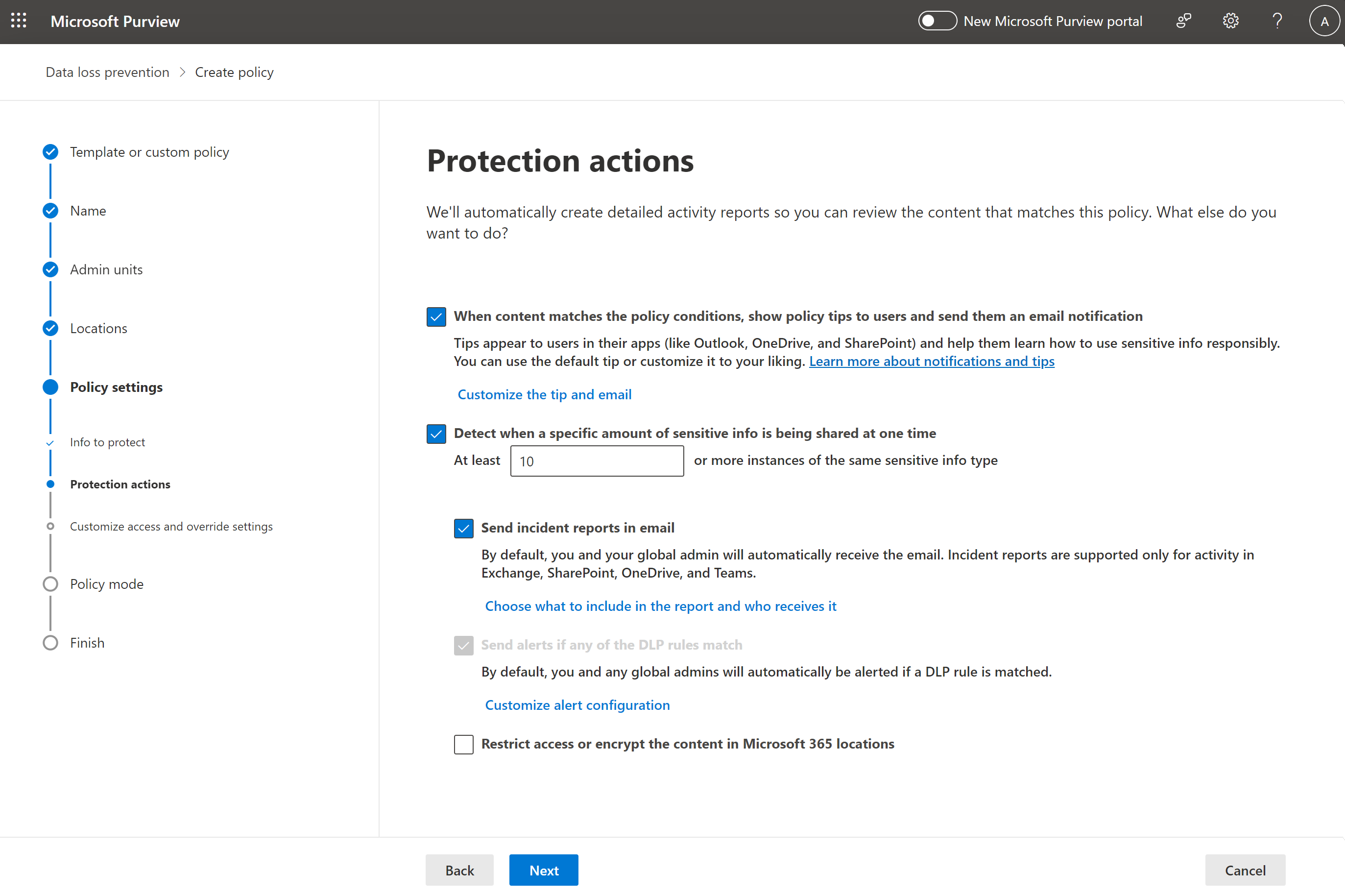
At times, there might be instances when users need to handle or transmit sensitive data outside the organization for valid business reasons. Convenient features such as user notifications and user overrides inform the user about the policy violation and allow them to override the restriction if they can provide credible business justification.
Utilizing Incident Notifications
In addition to restricting or permitting sensitive data flow, a DLP policy can also include incident notifications. These are valuable information packets sent to a compliance officer, containing details about the matched item, the content matching the rule, and the identity of the person who last modified the content. In the case of email, the report includes data regarding the sender and attaches the message matching the policy.
Conclusion
Data Loss Prevention in Microsoft 365 serves as a smart, reliable system that aids organizations in maintaining robust data security and compliance protocols. By configuring DLP policies, companies can effectively manage their sensitive data across various Microsoft 365 services, thereby avoiding unnecessary data breaches and bolstering their overall cybersecurity infrastructure.