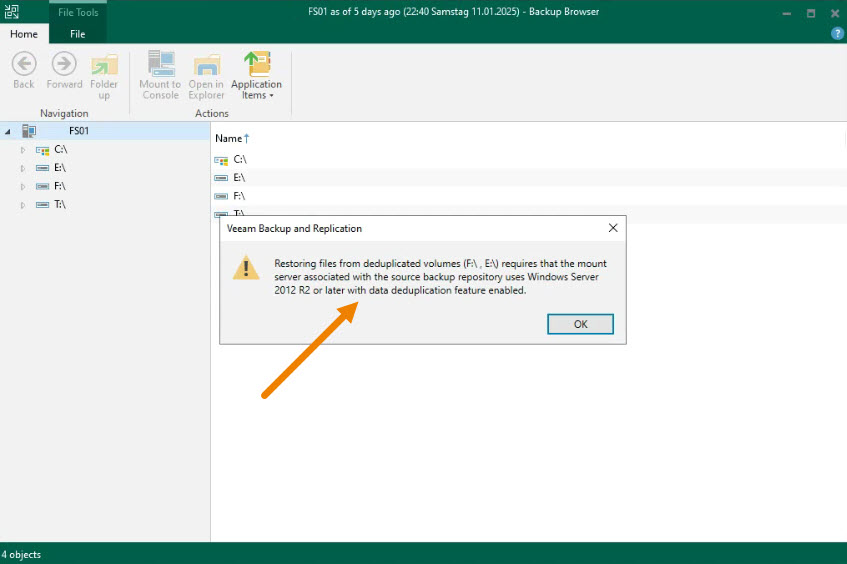
When using Veeam Backup & Replication to restore files from a backup, you may encounter an error message when dealing with deduplicated volumes, such as “Restoring files from deduplicated volumes requires that the mount server uses Windows Server 2012 R2 or later with the data deduplication feature enabled.”
This issue can be frustrating, especially if you’re unfamiliar with the requirements for restoring data from deduplicated repositories.
To resolve the problem and restore files from deduplicated volumes, follow these steps:
Solution
Ensure the Mount Server Supports Data Deduplication for Windows:
- Your mount server (where the backup repository is hosted) must have Windows Server 2012 R2 or a later version with the Data Deduplication feature enabled.
- Confirm that the operating system of the mount server supports the Data Deduplication feature.
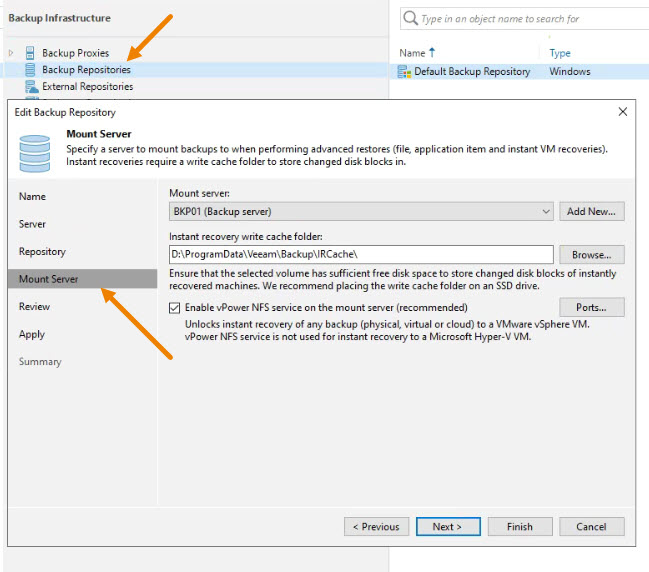
Verify Veeam Backup Mount Server Settings:
- Open the Veeam Backup & Replication console.
- Navigate to
Backup Infrastructure > Backup Repositories. - Right-click the repository hosting the deduplicated backup and select
Properties. - Ensure the Mount Server is set to the correct system
Enable the Data Deduplication Feature on the Mount Server:
- Log in to the mount server.
- Open the PowerShell or Server Manager:
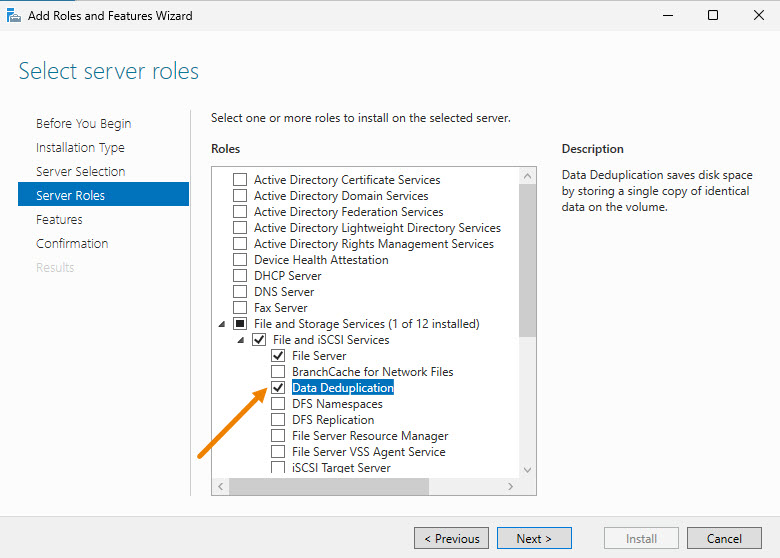
- Via Server Manager:
- Go to
Manage > Add Roles and Features. - Proceed to the Features section and check “Data Deduplication”.
- Install the feature and restart if prompted.
- Go to
- Via Server Manager:
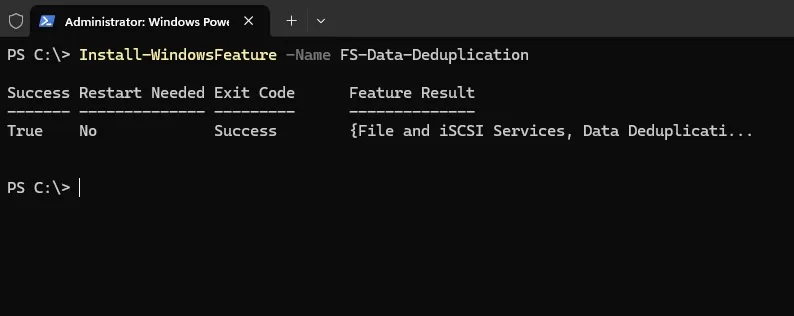
Via PowerShell:
Install-WindowsFeature -Name FS-Data-Deduplication
After completing the above steps, retry restoring the files via Veeam Backup & Replication.