When running Veeam Backup for Microsoft Office 365, you may occasionally encounter warnings such as:
Processing mailbox Archive completed with warning: Failed to find group owner account
Processing mailbox Buildings completed with warning: Failed to find group owner account
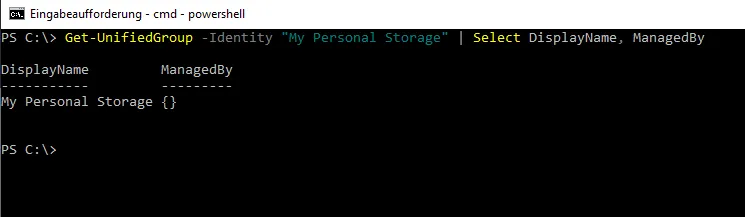
This issue occurs when the backup process tries to access and process unified groups (Microsoft 365 Groups), but no valid group owner is associated with them. Veeam uses group ownership to address permissions, and the absence of an owner can disrupt the backup process.
To verify ownership, we can use the Exchange Online PowerShell command:
IT infrastructure engineer with over a decade of experience in enterprise environments. Specializes in hybrid cloud architecture, Windows Server administration, endpoint management, VMware vSphere virtualization, network infrastructure, cybersecurity, and enterprise backup and disaster recovery. Independent security researcher. Founder of SKYLAR - a remote device management and monitoring platform.