
In today’s world, the ability to interact and retrieve data from digital platforms is a skill of significance. Countless systems offer multitudes of data, and the strategic use of this can provide enhanced efficiency and innovation in various fields. Among these data retrieval skills, understanding and using representational state transfer APIs, better known as REST APIs, remains a vital competence.
Utilizing Microsoft’s PowerShell, a task-based command-line shell and scripting language, one can seamlessly interact with web-based REST APIs to extract, manipulate, and analyze data. This blog article aims to guide you through this process, providing detailed walkthroughs and examples to ensure a concrete grasp of this essential skill.
Table of Contents
Introduction
As we traverse through the technologically-advanced era, the way we communicate, store, and interact with data has evolved significantly. One instance of this rapid evolution is the use of Representational State Transfer (REST) APIs.
Understanding REST APIs and PowerShell
Web APIs designed to be consumed by programs or scripts, falling under the category of web services or web APIs, are primarily based on URL structures, standard HTTP methods (GET/POST), and data types (JSON/XML), collectively known as REST APIs. PowerShell, a scripting language, provides the Invoke-RestMethod cmdlet which acts as the primary tool for interacting with REST APIs. This cmdlet allows you to invoke standard HTTP operations against URLs, while converting the data returned into PowerShell objects for easier manipulation.
Working with StackOverflow API using PowerShell
An interesting and highly useful illustration of this functionality involves the use of the StackOverflow API via PowerShell.
Demonstration: Retrieving Unanswered Questions
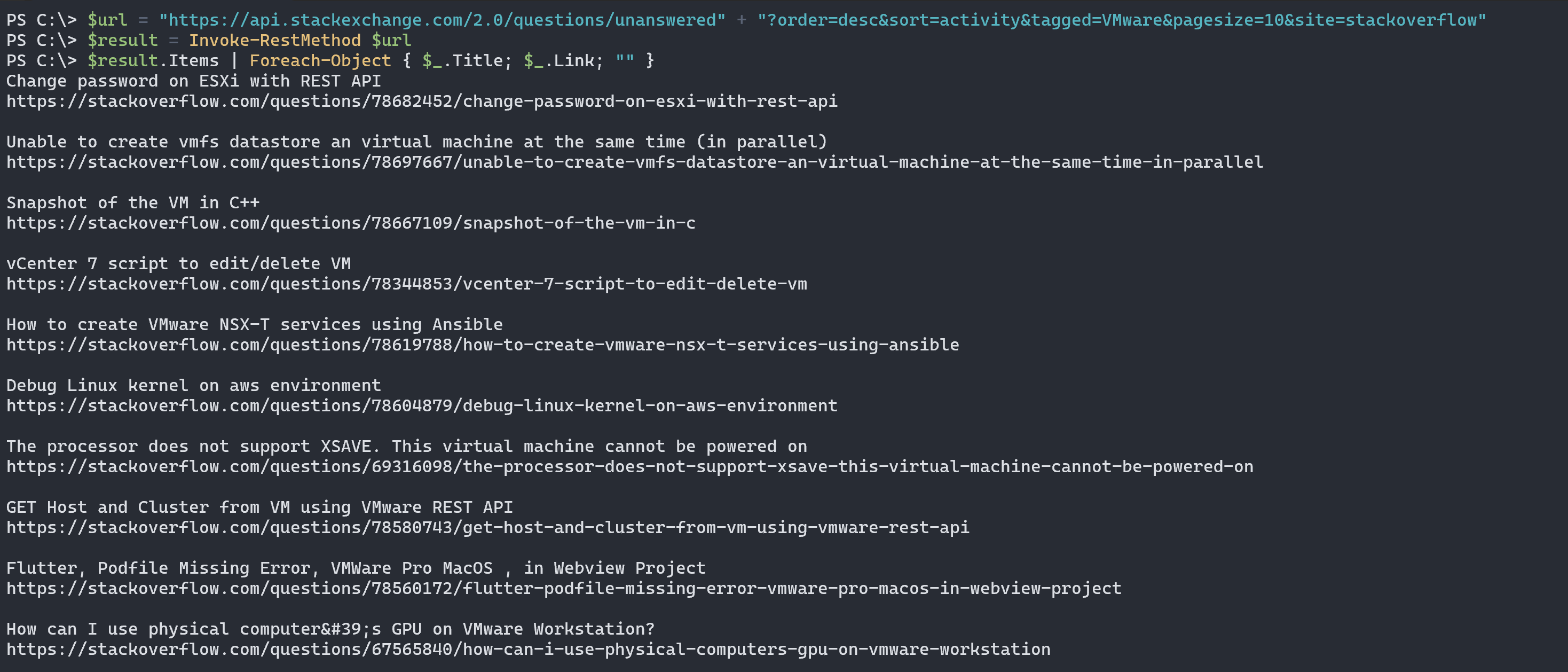
The following script allows you to retrieve the ten most recent unanswered questions tagged “VMware”:
$url = "https://api.stackexchange.com/2.0/questions/unanswered" + "?order=desc&sort=activity&tagged=VMware&pagesize=10&site=stackoverflow"
$results = Invoke-RestMethod $url
$results.Items | Foreach-Object { $_.Title; $_.Link; "" }
By executing this script, you’re able to effortlessly fetch relevant questions from StackOverflow.
Demonstration: Finding the Accepted Answer to a Question
To dive deeper, let’s look at how to find the accepted answers for VMware related questions using a specific search term. The script below serves this purpose:
## A function to search StackOverflow
function Search-StackOverflow {
    ## Get the search term from user input
    $term = Read-Host -Prompt 'Enter your search term'

    ## Encode the search term to URL friendly format
    $query = [System.Web.HttpUtility]::UrlEncode($term)

    ## Build the StackOverflow API URL using the search term
    $url = "https://api.stackexchange.com/2.0/search?order=desc&sort=relevance" + "&pagesize=5&tagged=vmware&intitle=$query&site=stackoverflow"

    ## Call the REST API
    $question = Invoke-RestMethod -Uri $url

    ## Print the questions and their answers
    $question.Items | Where-Object accepted_answer_id | ForEach-Object {
        Write-Host "Question: $($_.Title)"
        Write-Host "Answer URL: http://stackoverflow.com/questions/$($_.accepted_answer_id)"
        Write-Host "------------------------------------------------------"
    }
}

## Call the function
Search-StackOverflow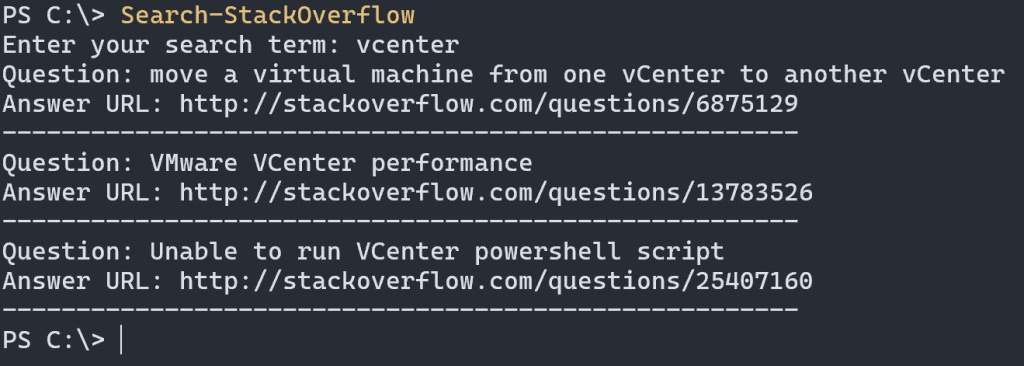
Conclusion
In essence, the Invoke-RestMethod cmdlet in PowerShell significantly simplifies interaction with REST APIs, making data extraction far less a headache than traditional scraping methods. Whether you require questions from StackOverflow or any other forms of data, integrating REST APIs with PowerShell aids tremendously in automating the entire process.