Effective device management requires visibility into system health, performance and operational parameters. Without the proper tools, it can be complicated and time consuming when trying to stay up-to-date on what’s occurring across devices.
SKYLAR is designed to deliver the visibility and control you require with making the experience easy and fast. In this series we’ll walk through the core features that make up the platform, beginning with the Device Dashboard – the central place for understanding a device at a glance.
A clear overview from the first click
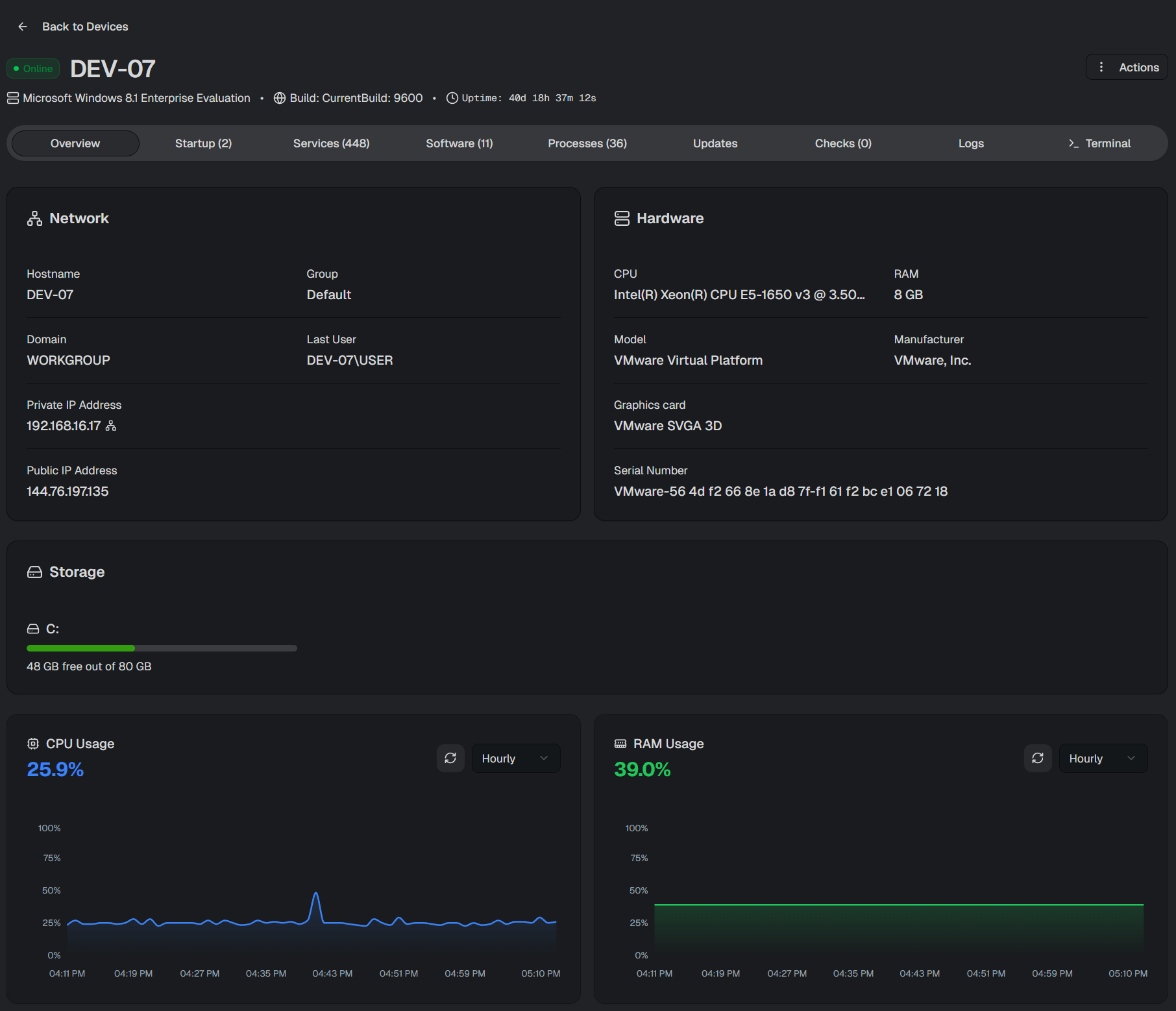
Instead of navigating through multiple tools or menus, administrators get an immediate snapshot of key device information and performance metrics.
From this single view, you can see:
Network details including hostname, domain, active user, and IP addresses
Hardware information such as CPU, memory, manufacturer, model, graphics hardware, and serial number
Storage usage with visual indicators showing capacity and available space
Live CPU and RAM usage charts
Performance charts can be adjusted across different time ranges – hourly, daily, or weekly – making it easy to spot trends or diagnose performance issues.
This instant visibility helps teams move faster, reduce investigation time, and stay proactive.
Startup Programs at a Glance
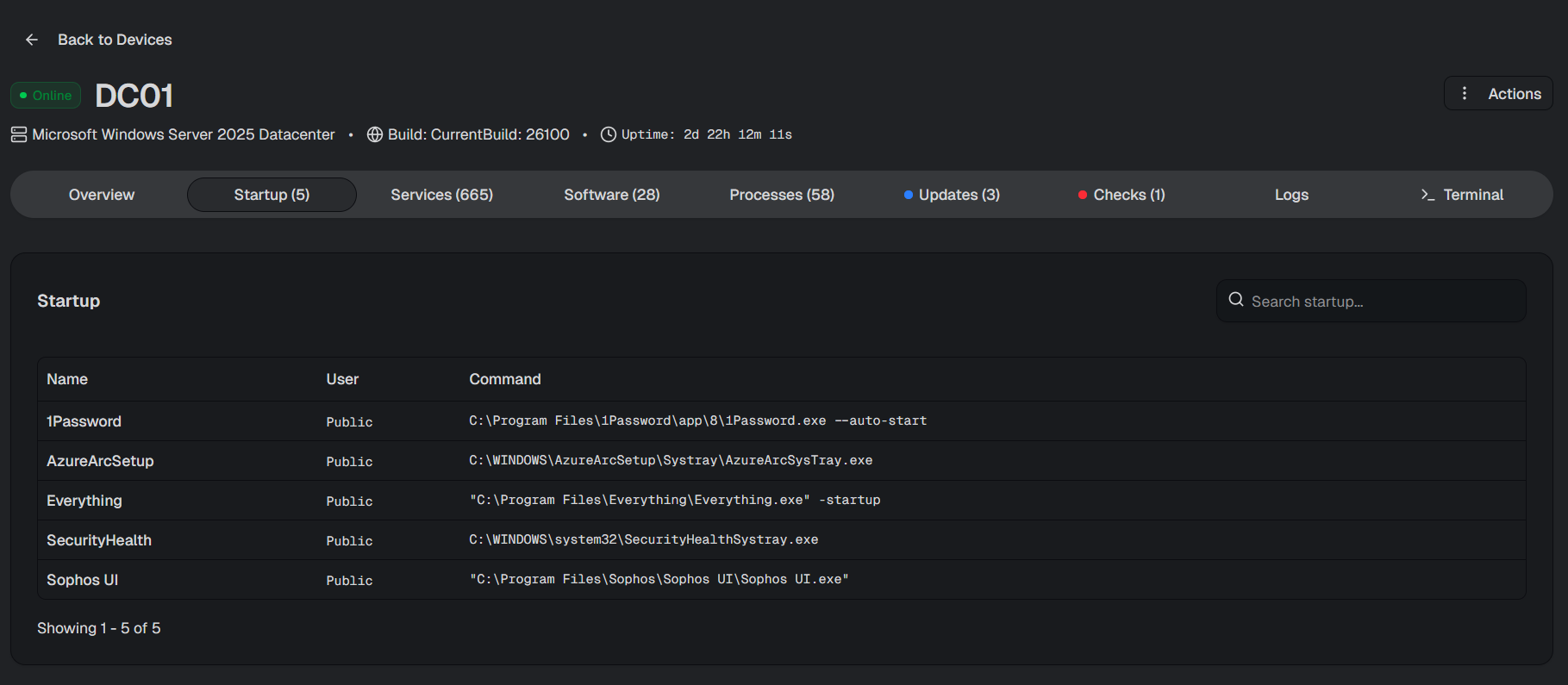
Startup applications can significantly impact system performance and stability. The Startup tab provides a clear overview of programs configured to run when a device boots.
Each entry includes:
Program name
Associated command
Linked user account
This makes it easy to identify unnecessary startup items, troubleshoot slow boot times, or detect unexpected software behavior.
Complete Visibility into Services and Drivers
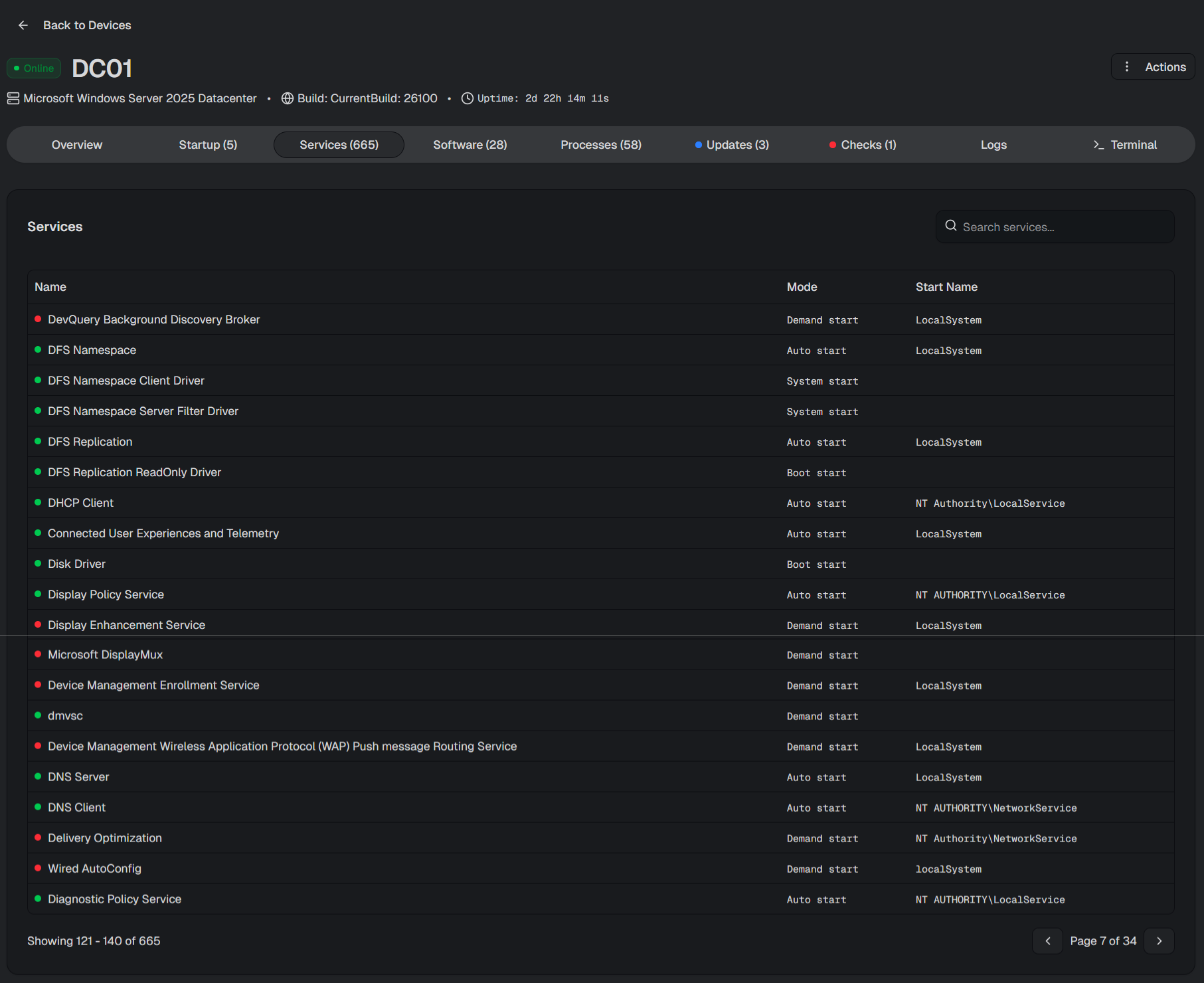
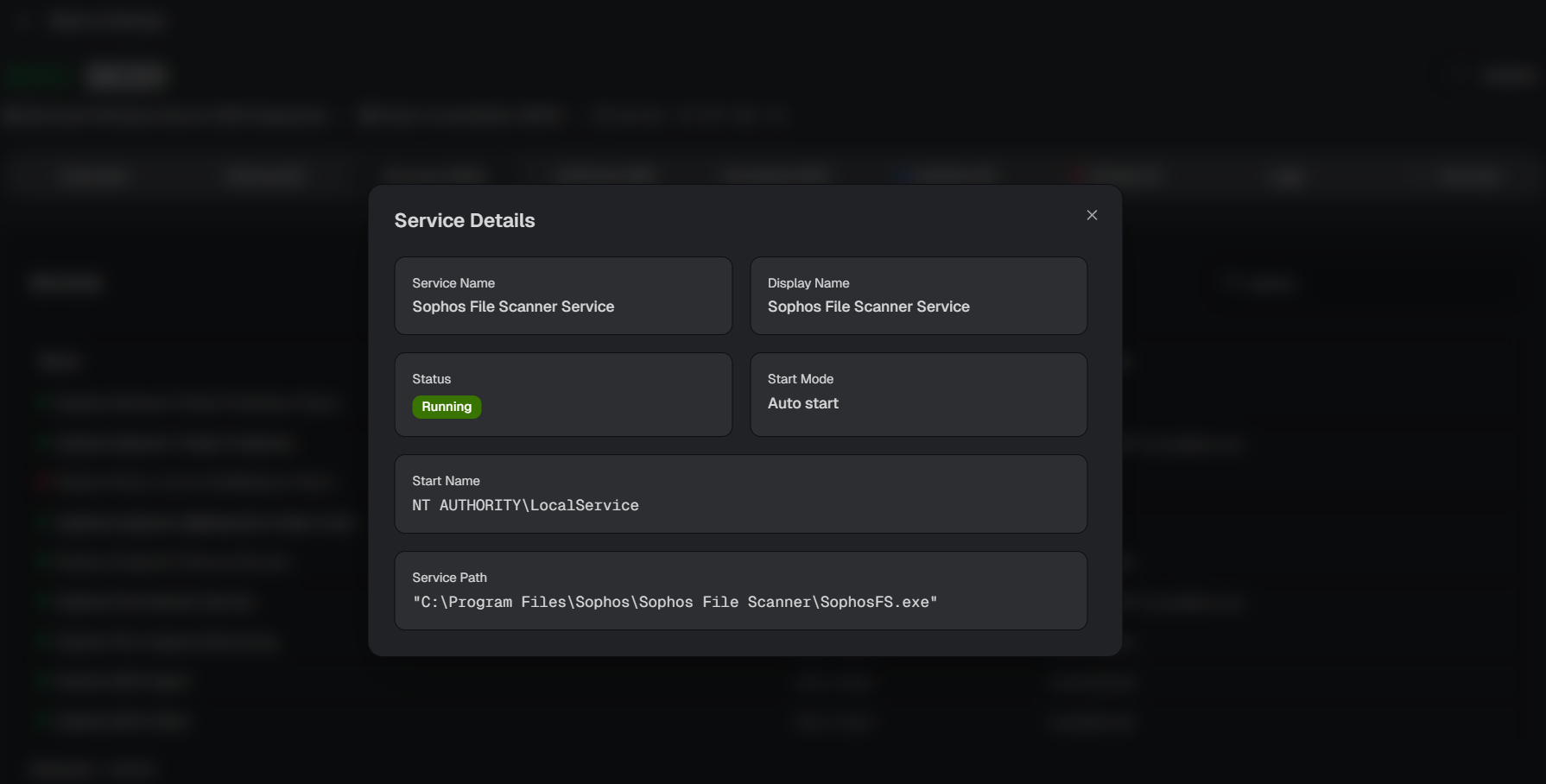
Understanding background services is essential for troubleshooting and maintaining system stability. The Services tab gives administrators a structured view of all installed services and drivers, including:
Current status
Startup mode
Account context
Selecting a service reveals deeper technical details such as program location and display name, supporting advanced diagnostics and configuration.
Built-in search functionality ensures you can quickly find exactly what you need.
Full Software Inventory
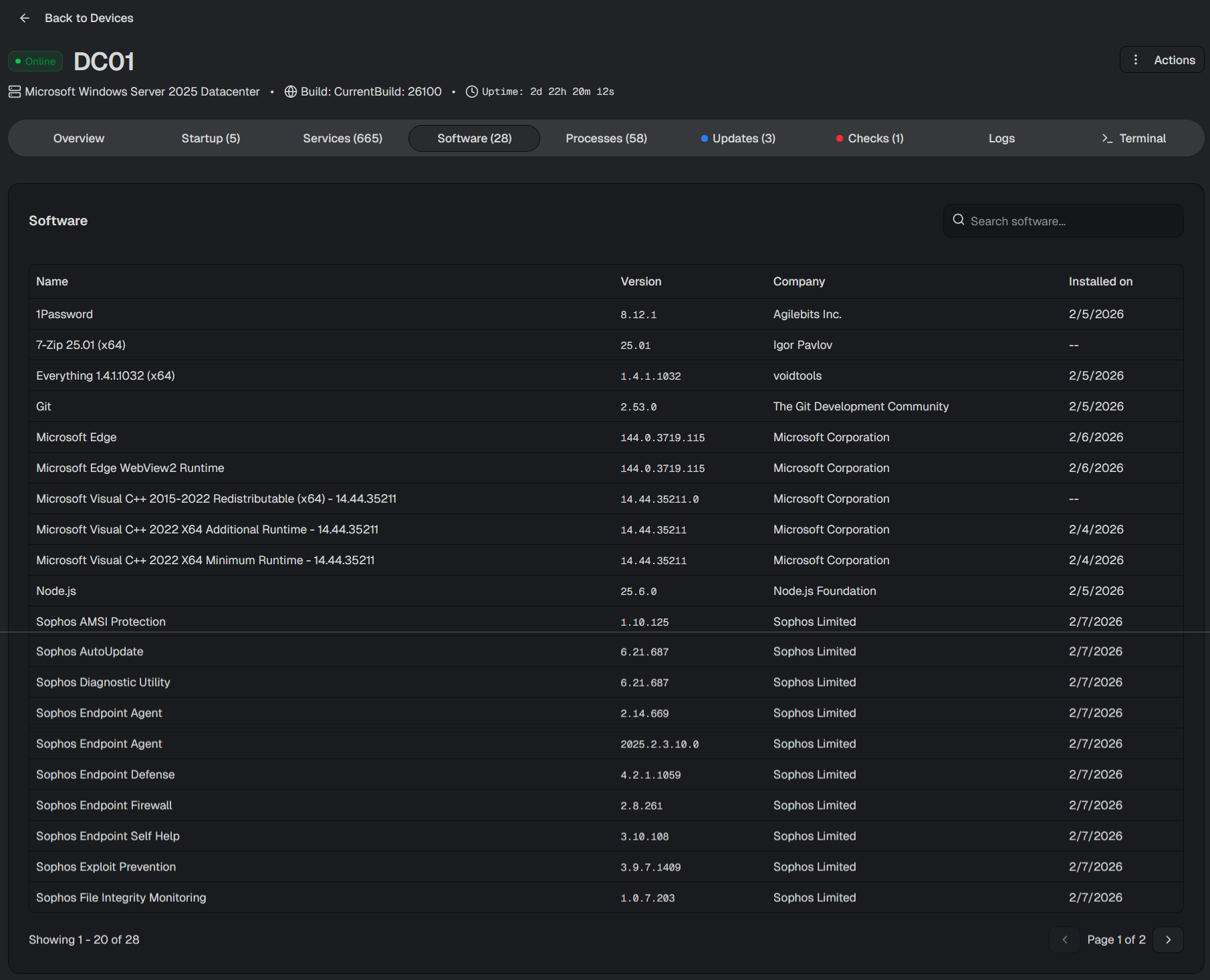
The Software tab provides a comprehensive inventory of installed applications, showing:
Software name and version
Publisher
Installation date
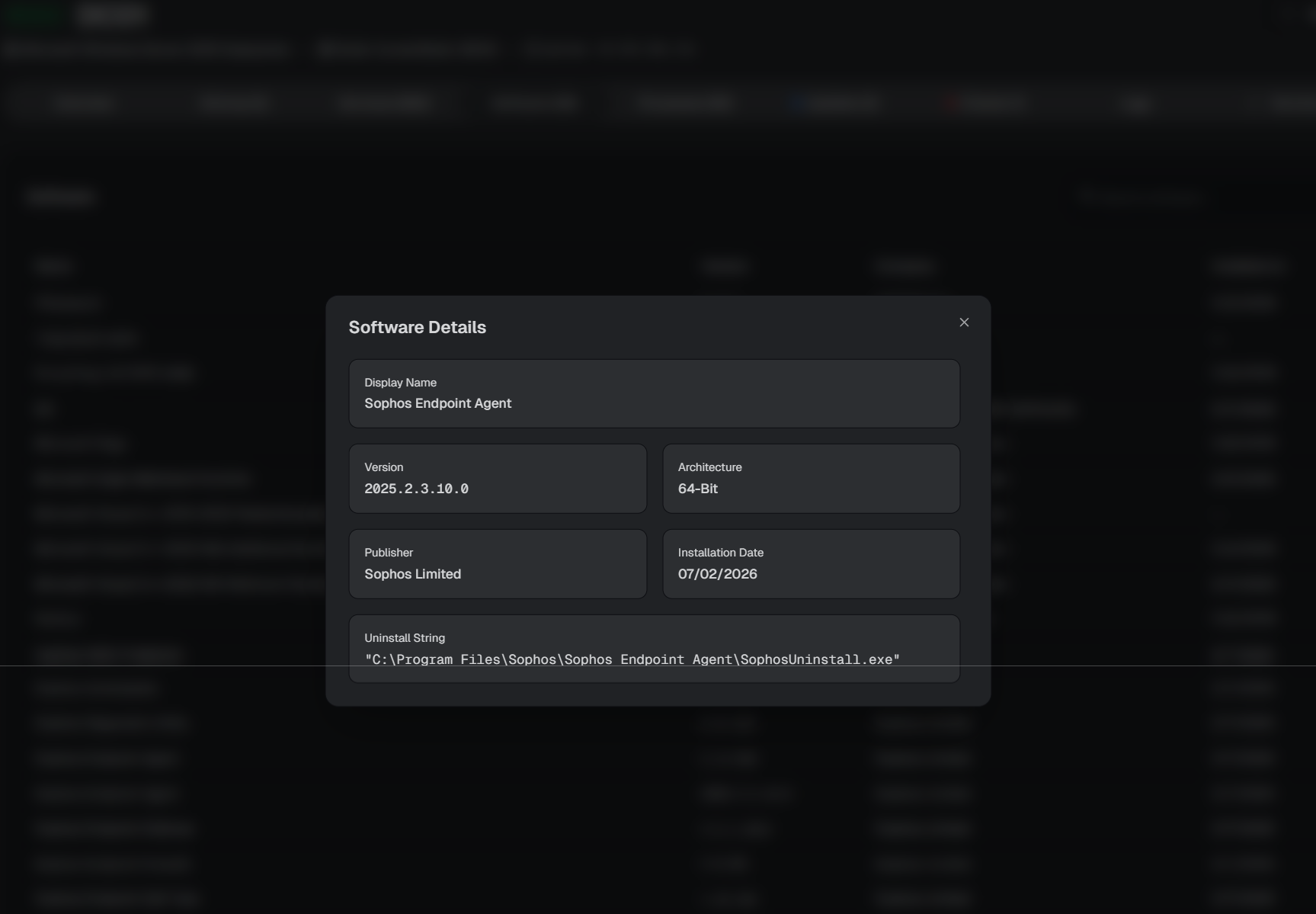
Architecture (32-bit or 64-bit)
For automation workflows, the uninstall string is also available, enabling command-line or script-based software management.
Real-Time Process Monitoring
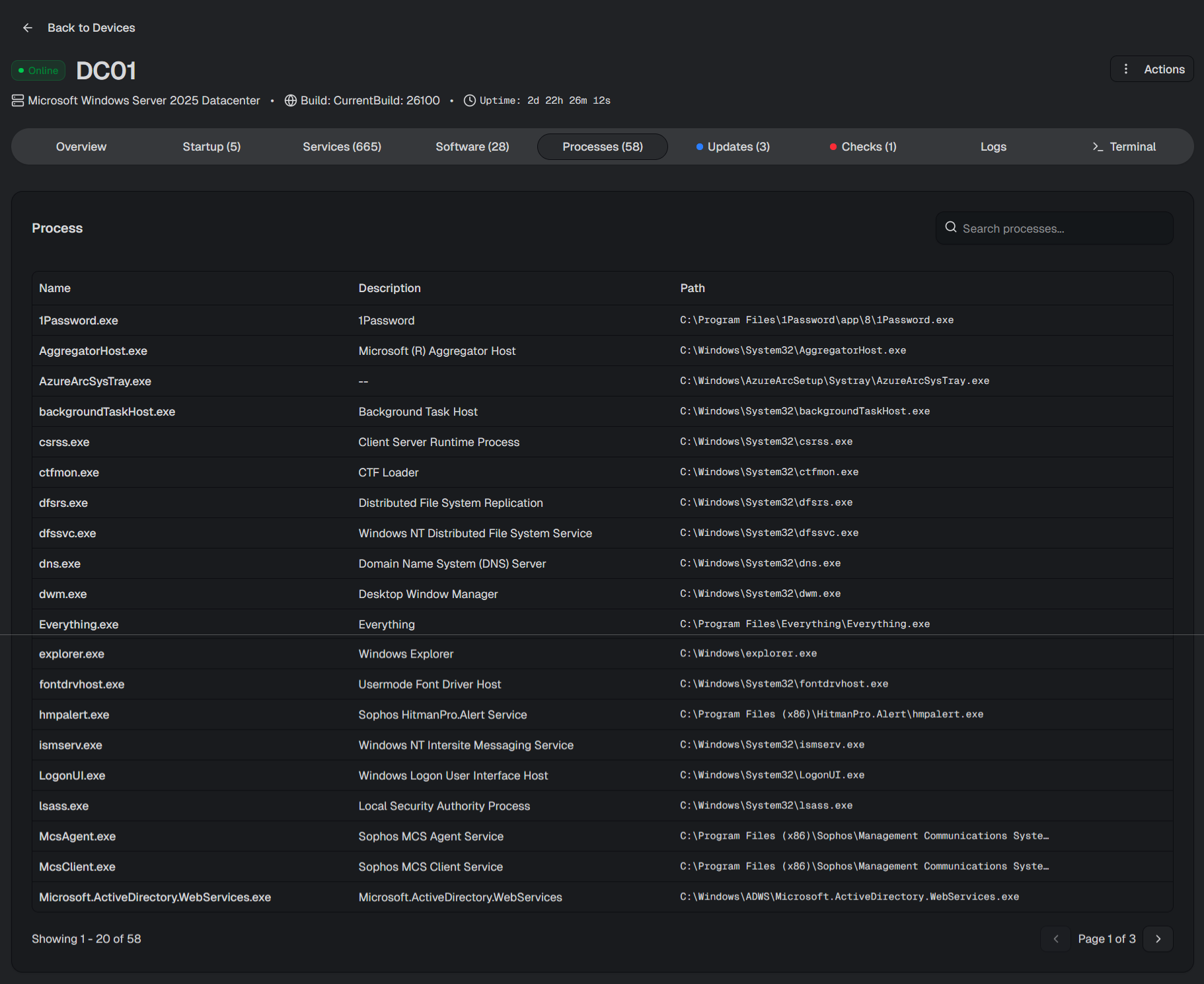
The Processes tab delivers detailed visibility into active processes running on the device.
Administrators can view:
Process names
File descriptions
Executable paths
Number of instances
This provides clear visibility into running processes, helping administrators understand what is currently active on a device and quickly identify specific processes when needed or investigate suspicious activity quickly.
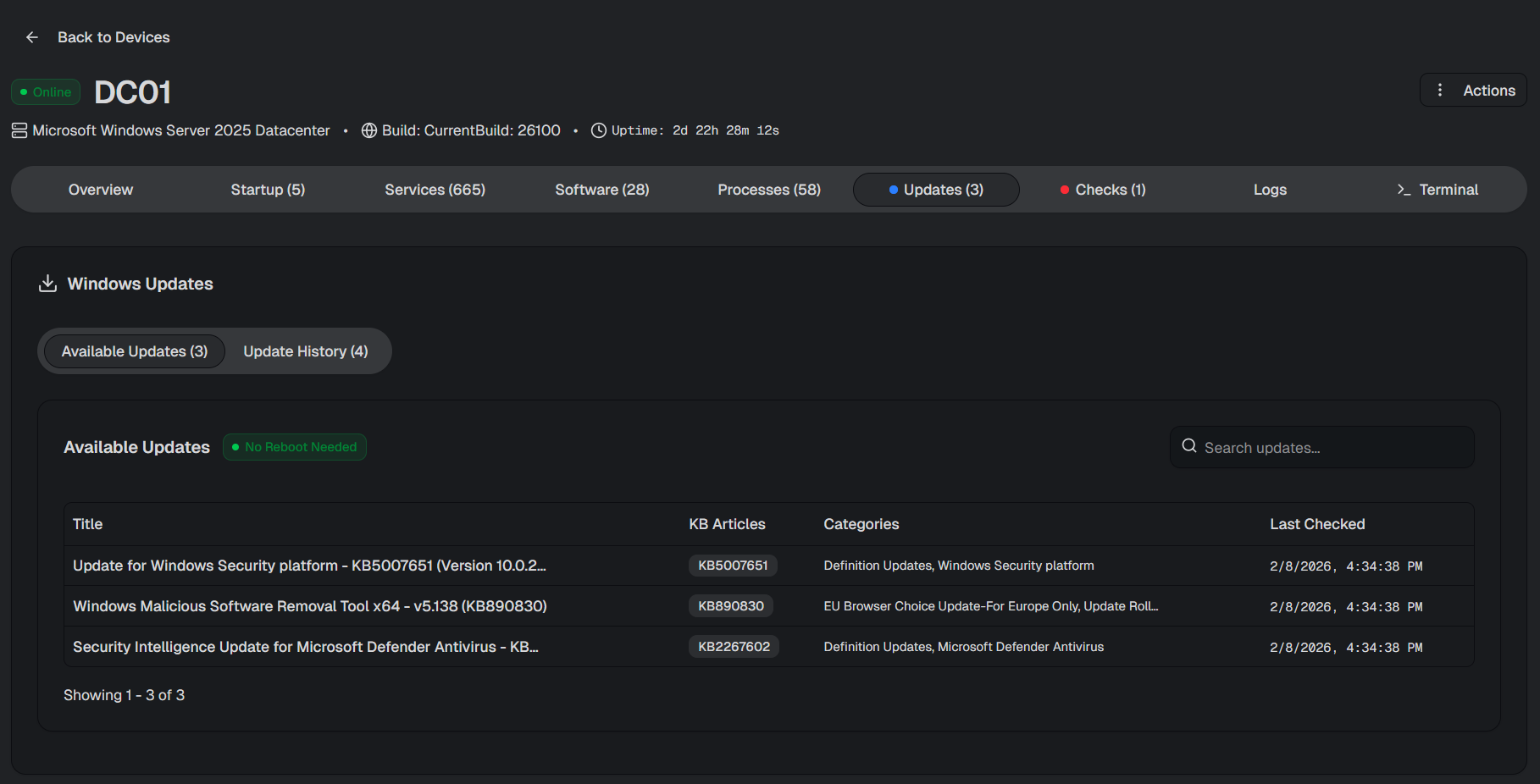
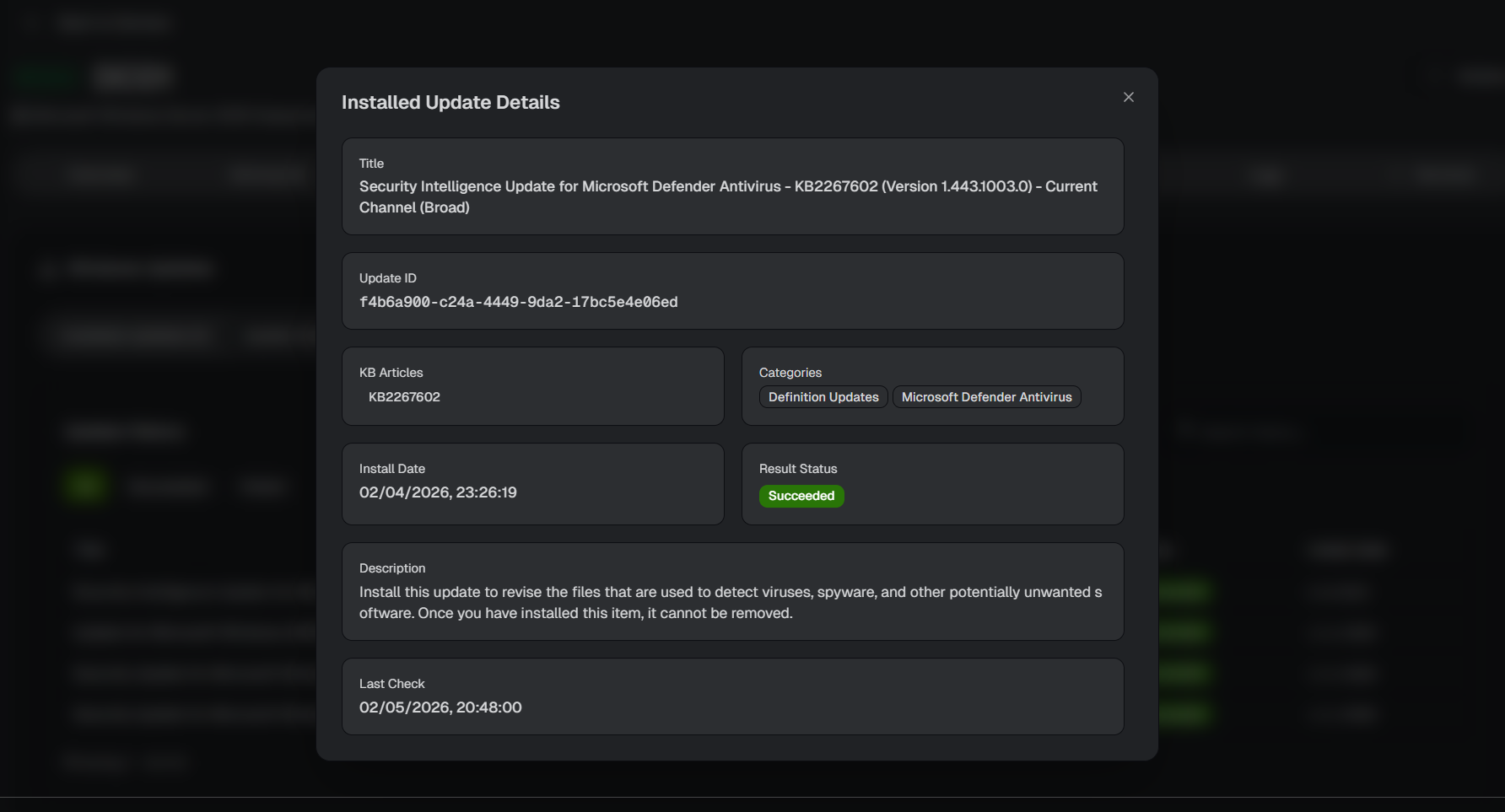
Device Updates Overview
Search functionality allows quick filtering of pending updates, making patch management more efficient.
Monitoring Checks and Alerts
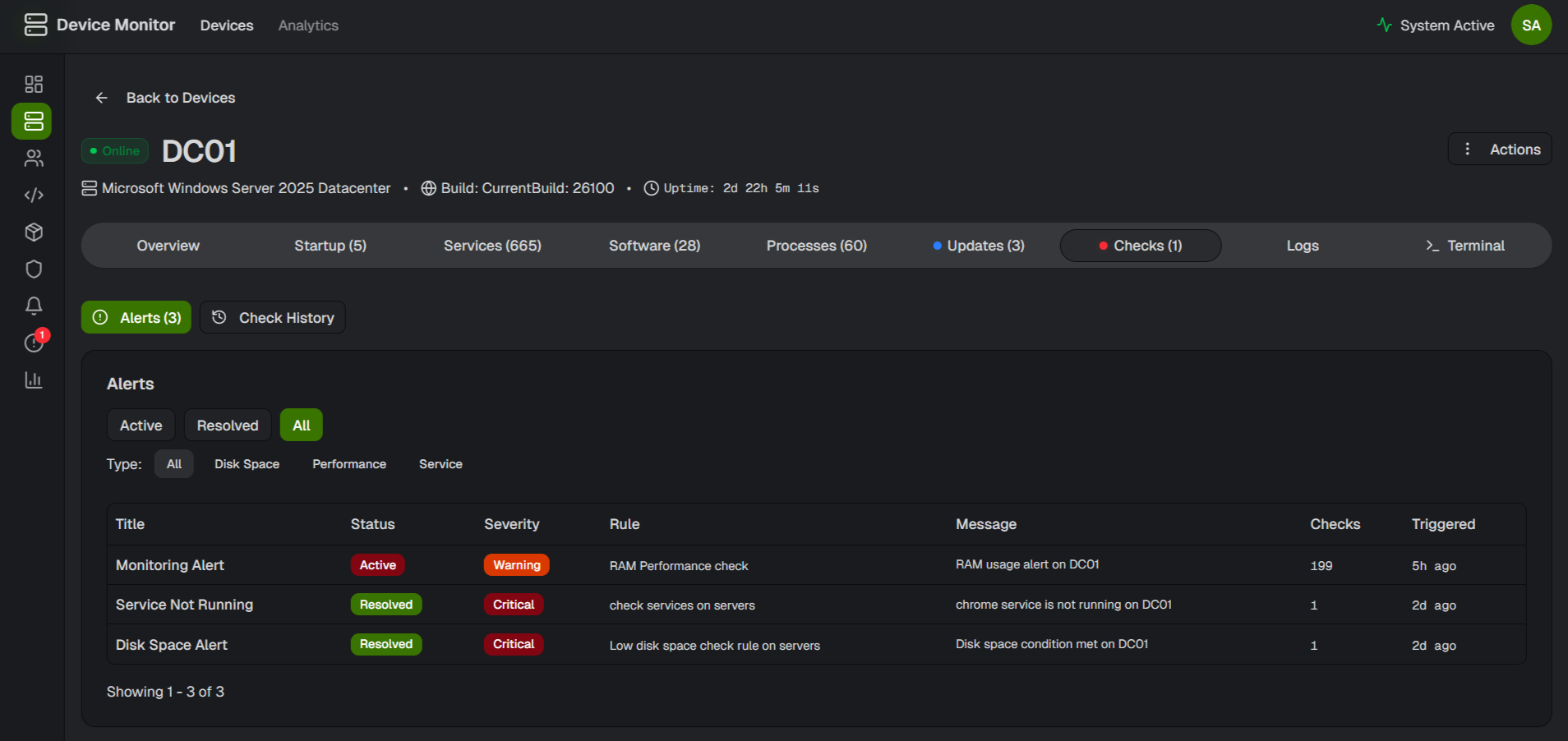
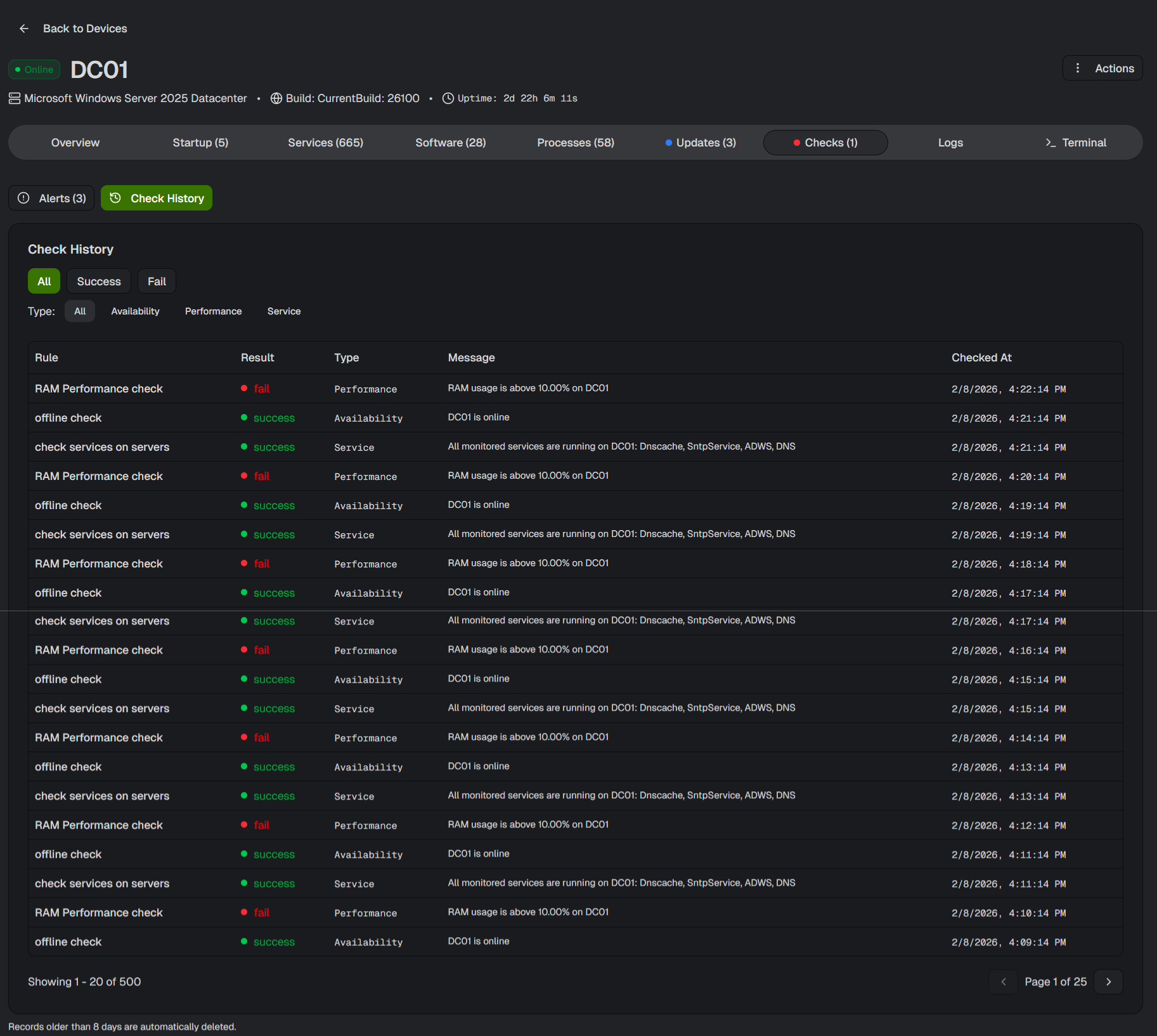
The Monitoring Checks tab provides visibility into system health and automated monitoring results.
You can instantly review:
Active alerts
Severity levels
Associated monitoring rules
Messages and timestamps
Key capabilities include:
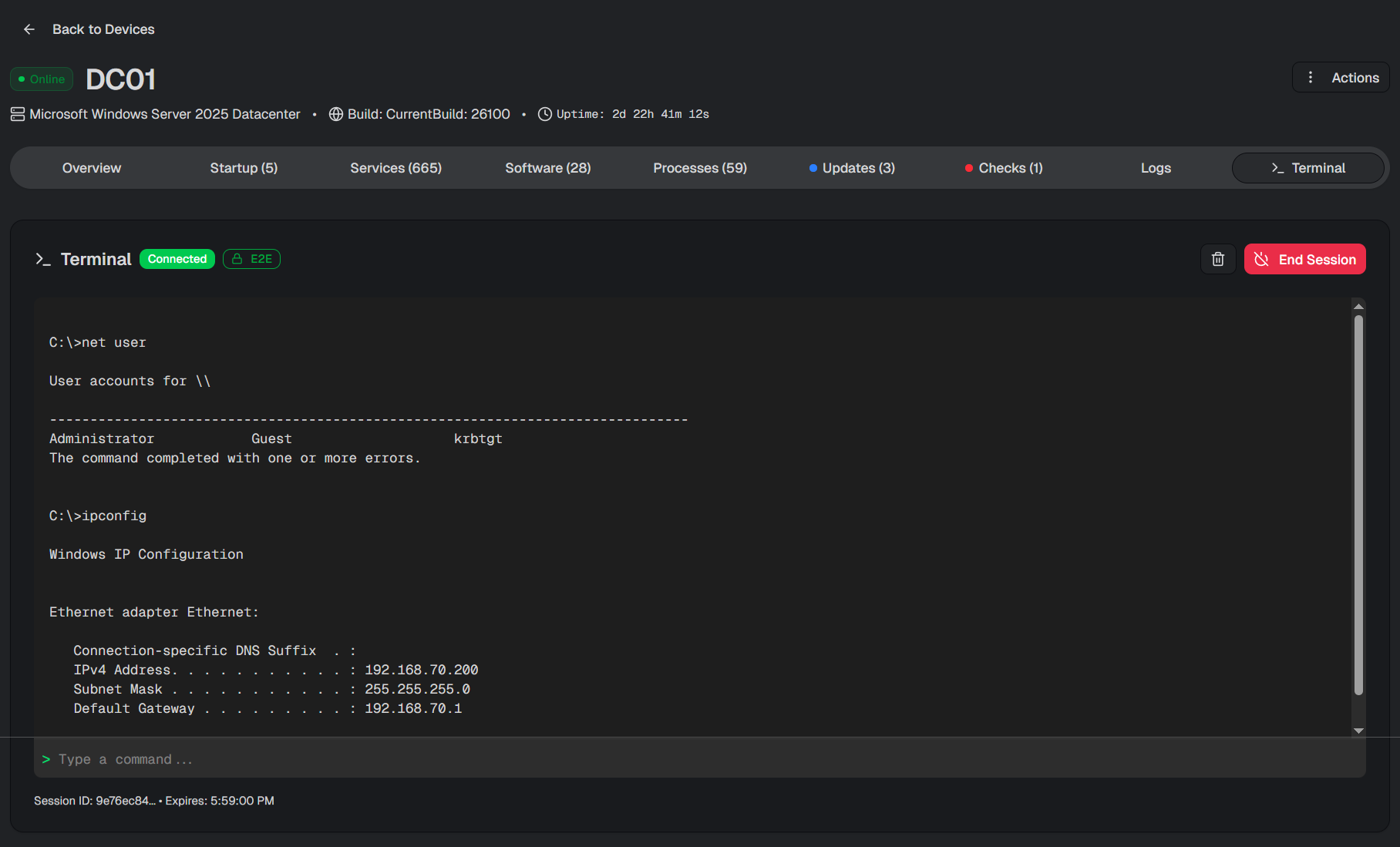
End-to-end encrypted connections
Single-session enforcement per device
Session-level audit trails
Direct execution of system and PowerShell commands
This allows administrators to resolve issues quickly while maintaining strong security standards.
Conclusion
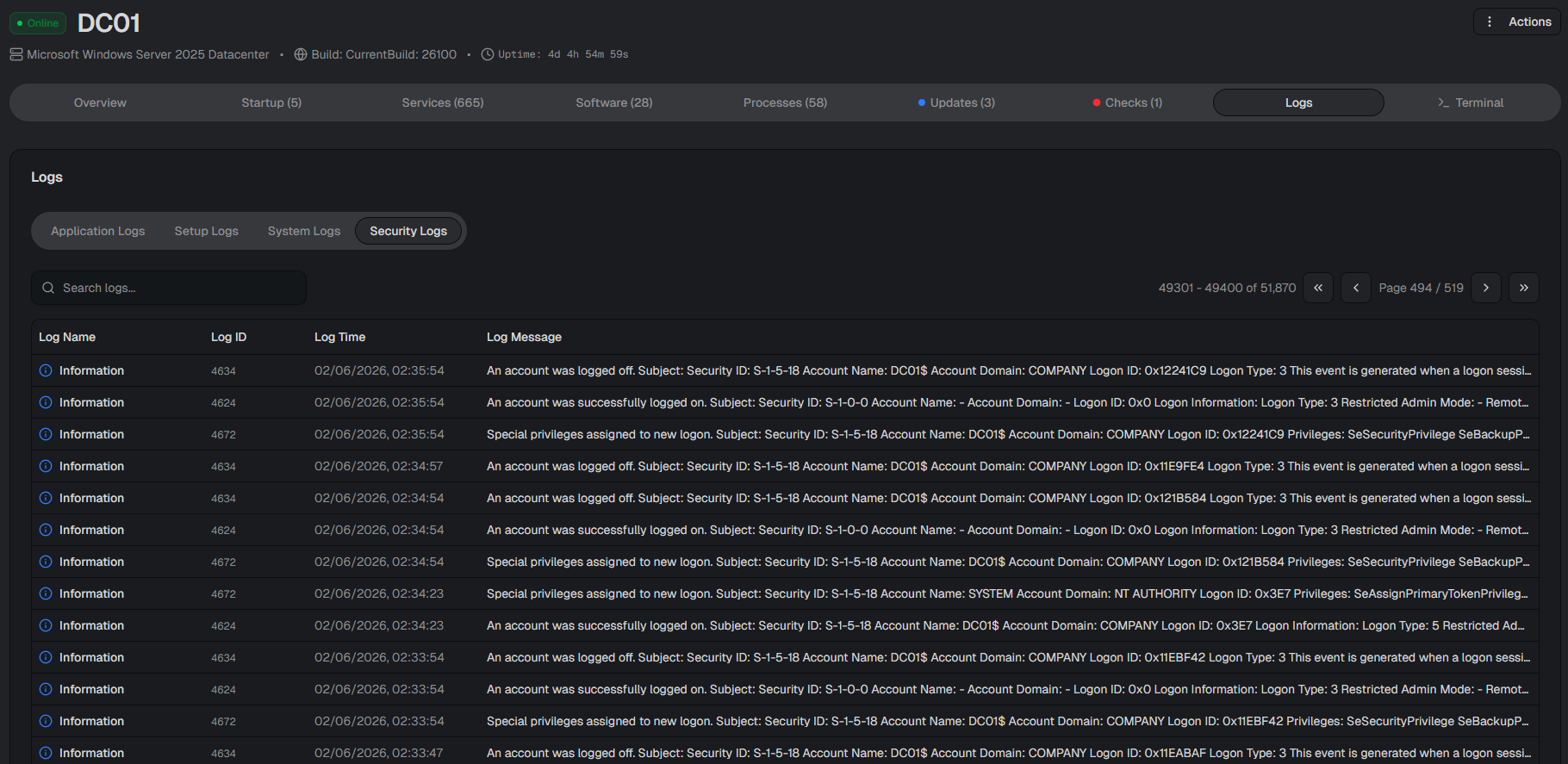
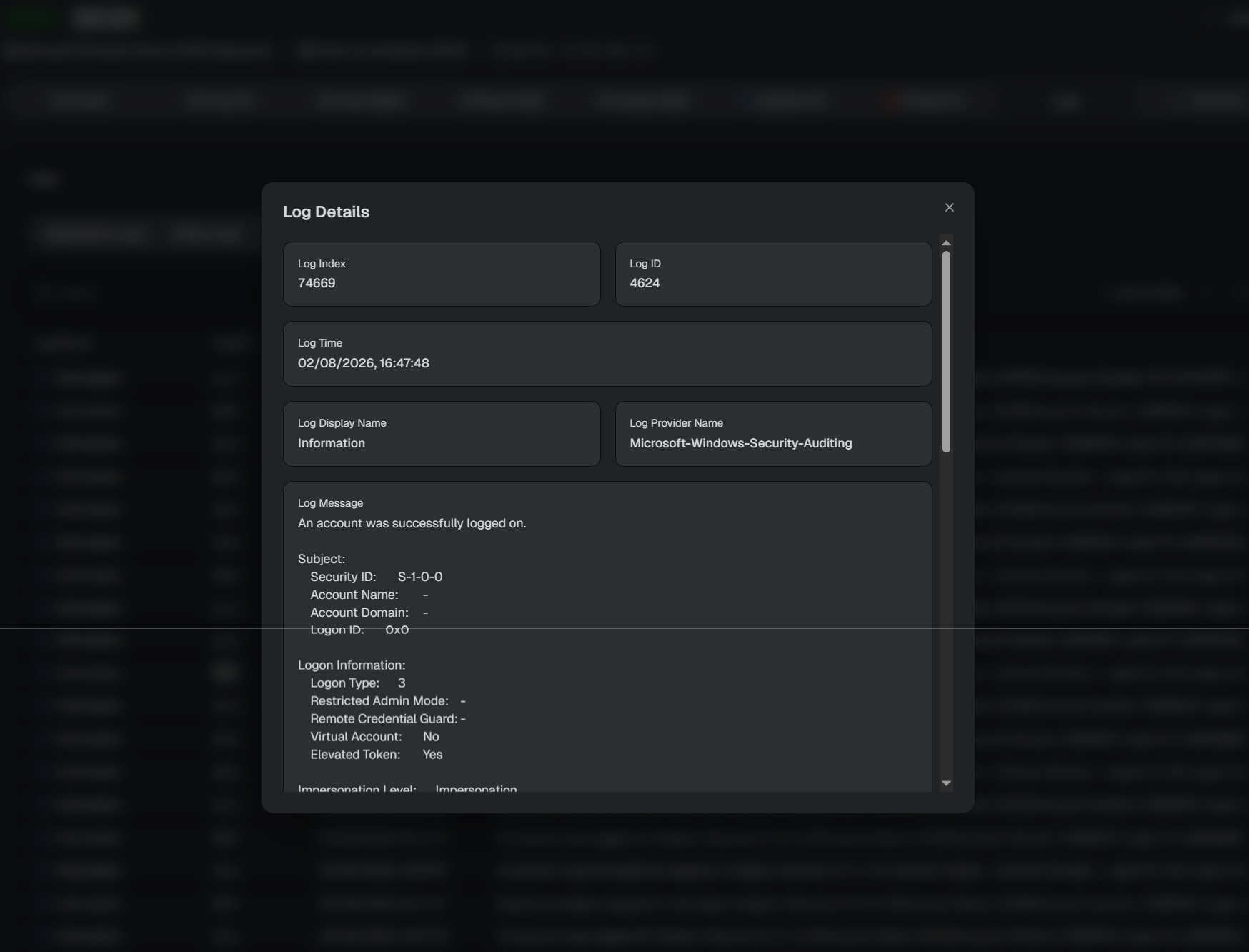
The SKYLAR Device Dashboard provides a centralized view of essential device information, bringing together system insights, installed software, services, processes, updates, monitoring results, logs, and secure terminal access in a single interface.
This article focused on the Device Dashboard as part of getting familiar with SKYLAR’s core functionality. In the coming articles, we’ll explore additional areas of the platform, including group management, monitoring rules, script management, software deployment, patch management, automated remediation, and many more capabilities that extend SKYLAR’s remote monitoring and management workflow.